Why Does My QR Code Look So Dense? Try a Shorter URL
See when a shorter URL can reduce QR pattern density, and what to check before printing.
If a QR code on your poster looks like a tight grid of tiny squares, check the address inside it. A long product URL or a link with campaign parameters can make the pattern denser. Shorten the address before generating the QR code, and the pattern may be simpler within the same printed area.
A QR code contains an address, not the page itself
A QR code for a menu does not contain the menu’s photos and text. It contains the web address that leads to the menu page. A phone reads that address from the code and then opens the page.
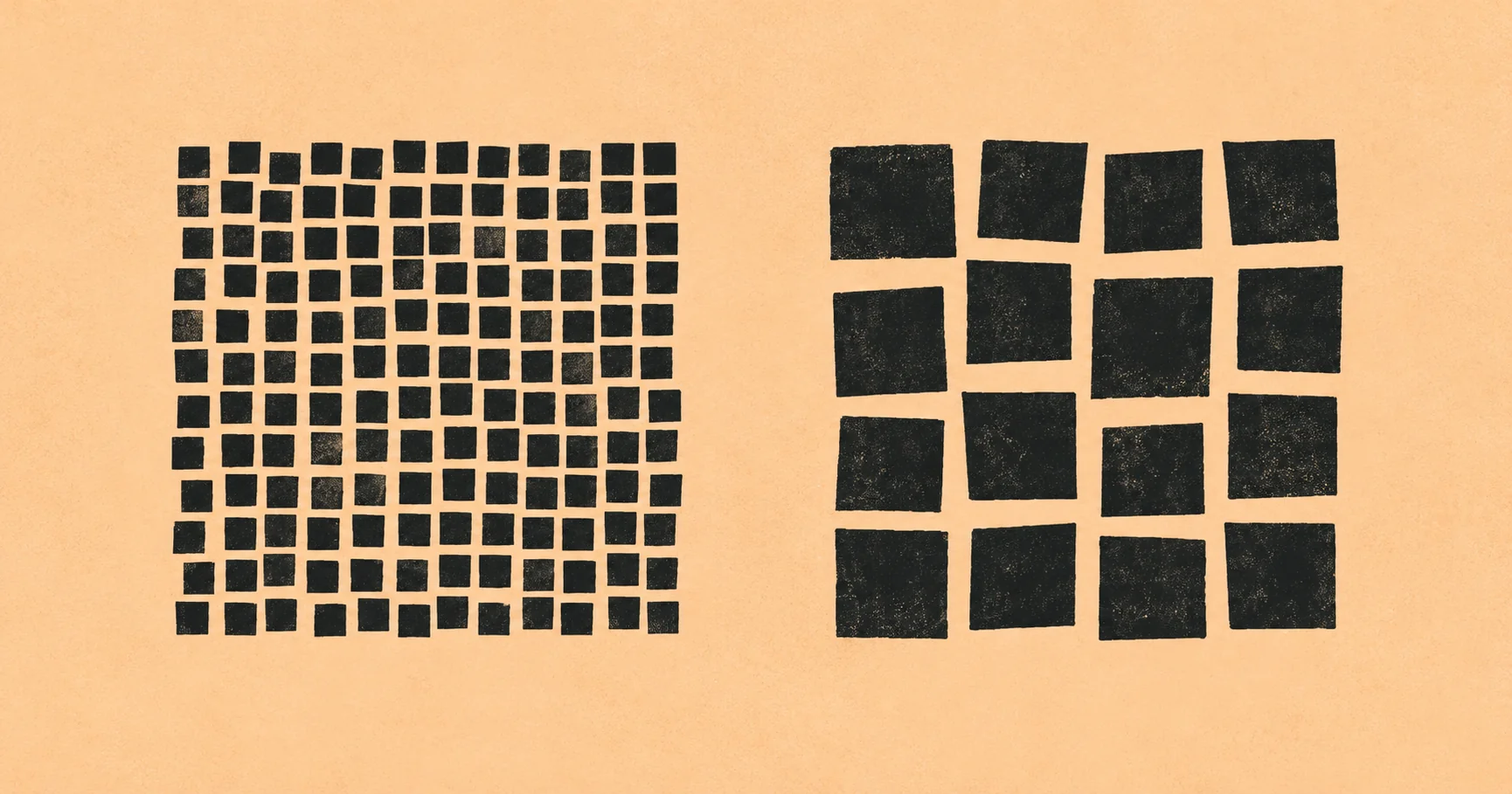
Longer addresses contain more characters for a QR code to represent. QR codes use small black and white squares to encode information, so more data can require more squares. When more squares must fit in the same printed area, each square is smaller. DENSO WAVE explains how the amount and type of data, along with error correction, affect a QR Code’s version and size.
Compare two QR codes at the same size
Here is an illustrative comparison generated with the same QR generator settings: error correction M and a clear border four small squares wide.
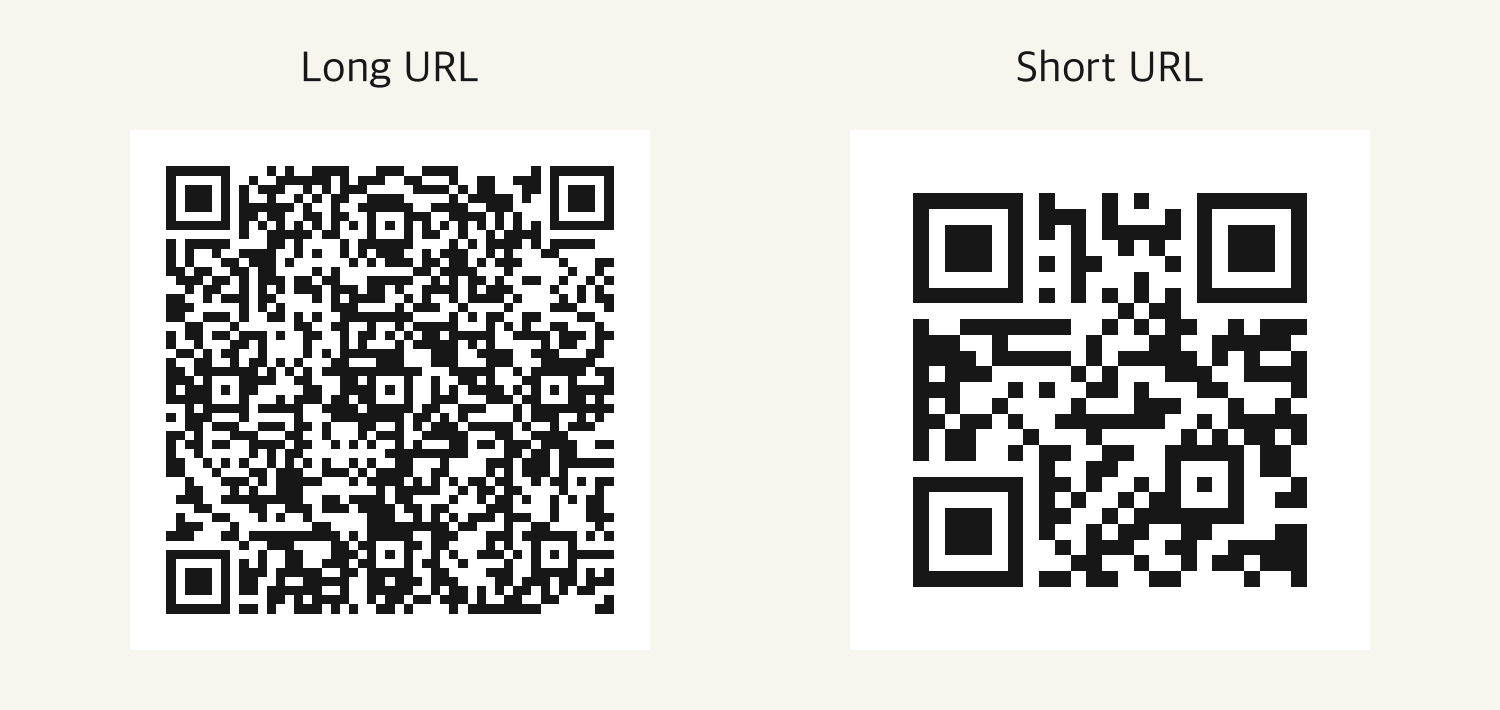
| Illustrative URL entered (not a real user link) | URL length | Squares per side |
|---|---|---|
| A long event registration URL with campaign parameters | 150 characters | 49 squares |
https://chck.my/your-code | 25 characters | 25 squares |
If both codes are printed at the same size, the shorter URL’s squares are larger. That makes the difference easy to see on a poster or business card with limited space. The example addresses are illustrative, not real user links.
Shortening an address does not always reduce the number of squares. A QR code changes size in steps, so a small reduction may leave the pattern unchanged. A large enough reduction can bring it down to a smaller pattern.
Shorten the address you plan to share
For example, imagine an event registration page with campaign parameters added for a printed flyer. Save that long address as the destination, then create a short chck.my link for it. Put the short address in the QR code instead of the full destination.
When someone scans the code, the short address opens and redirects to the registered destination. You can keep the campaign parameters on that destination while making the URL encoded in the QR code shorter. For guidance on campaign labels, see using UTM parameters with GA4.
With chck.my Pro, you can create a short link and save a QR code for that same address. The link you share online and the QR code you print can use the same short URL.
Manage the destination after printing
A QR code that contains a short URL can do more than simplify its pattern. If the registration page changes or a new menu PDF is published, update the destination behind the short link and the existing QR code can still lead to the new page.
This works when the QR code contains the short URL. Before printing, scan the code and confirm that it opens the short link you created. Follow the steps to change a QR code destination after printing for details.
Check the finished print
A simpler pattern still needs a clear margin and good print quality. Leave room around the code, and make sure images or borders do not cover its white margin. DENSO WAVE recommends a clear margin four small squares wide on every side.
Check the code at its actual print size with a phone, not only enlarged on a screen. For a banner or poster, test it from the distance where people will read it. See how to place and test a QR code on a banner or poster.
Review the chck.my Pro plan and prepare the link for your next printed piece.
QR Codes for Print
Part 1 of 3- 01 Why Does My QR Code Look So Dense? Try a Shorter URL
- 02 How to Add a QR Code to a Banner or Poster
- 03 Change a QR code link after printing